Think, write, explore.
Chat with Otter 4.11, switch to Cide for coding experiments, or attach a document. Model inference stays on your device; web search sends search terms online.
Start a conversationKelus is a free desktop IDE where AI agents write, test and double-check your code, a coach teaches you as you build, and a local AI can even use your computer for you.
Meet Kani, our experimental language model trained from scratch. Chat, ask about code, or practise English in a dedicated space that runs the model on your device.
206M parameters · Browser inference · No sign-up needed to chat
 Small model. Still learning.
Chat with Otter 4.11, switch to Cide for coding experiments, or attach a document. Model inference stays on your device; web search sends search terms online.
Start a conversationTrain English gives feedback on your writing. Speak English lets you practise out loud with grammar and pronunciation coaching.
Open English practiceGet the latest Android release from GitHub, with local chat, language learning and in-app update checks.
Download Android APKThe iOS build is available to sideload. Get the unsigned IPA and installation instructions on the download page.
Get the iOS buildKani is experimental and can give incorrect answers. The Kelus 0.2.0 desktop preview bundles the same Otter 4.11 weights for local chat.
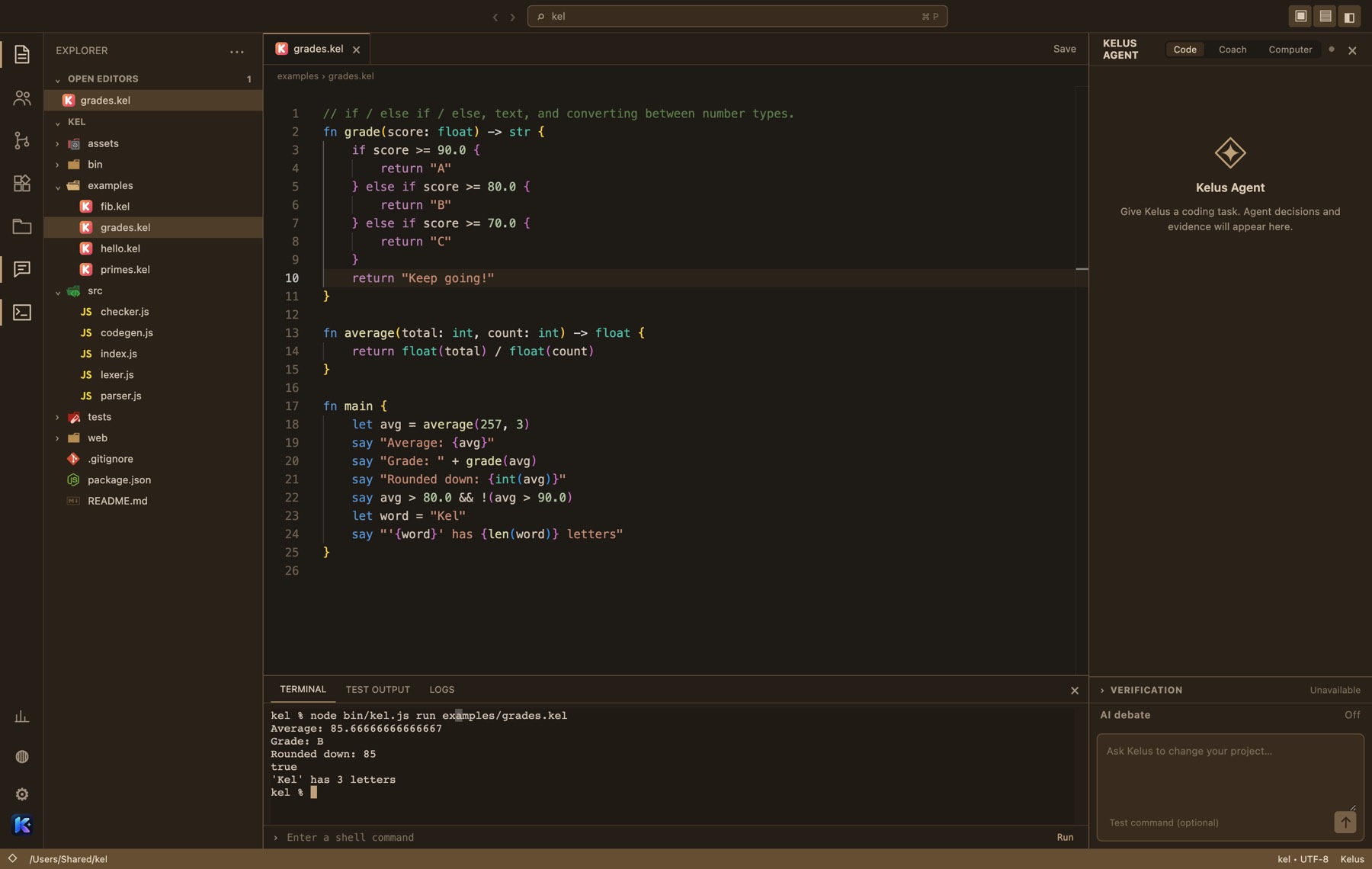
A Coder proposes, a Tester runs your tests, a Reviewer checks the requirements, and a Judge decides on the evidence. Nothing touches your files until you approve it.
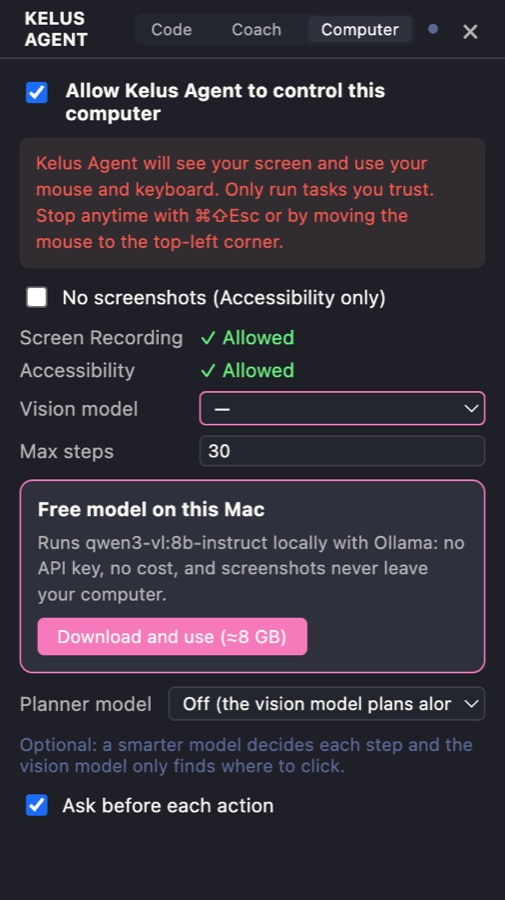
Ask “open YouTube and play lofi” and Kelus clicks and types for you. It runs on a free AI model on your own Mac, so no API key and no cost.
Stuck? The Coach explains your code in plain words. Start a course and it builds interactive lessons you run right in the editor.
Jump to any file by typing part of its name, run any command with >, or go to a line with :.
Install thousands of color themes, file icons and snippets from Open VSX, the free VS Code extension store.
Share a code and a friend joins your project. You both edit the same files at the same time, with nothing to set up.
Sync a project to a private repo on your own GitHub, then edit it in the browser with the Web IDE from any computer.
The whole app works in your language.
A beginner-friendly language with clean { } code and mistakes that explain themselves. It compiles to WebAssembly, so it runs about as fast as C, right in your browser.
fn main {
    let name = "Kel"
    var score = 0
    repeat 3 { score += 10 }
    say "Hi {name}! Score: {score}"
}
Pick your computer, or paste one line into your terminal.
curl -fsSL https://kelus-ide.pages.dev/install.sh | bash
irm https://kelus-ide.pages.dev/install.ps1 | iex
On Windows, if you see “Windows protected your PC”, choose More info → Run anyway. Kelus isn't code-signed yet.
Free forever for your own projects.
Sign in to create GitHub projects and code in your browser.
New to Kelus? Create an account
Create GitHub projects in your browser, or sync existing work from the desktop app.
Already have an account? Sign in
Sign in here and Kelus on your computer connects automatically.
Signed in as
Create a private GitHub repository and start coding in your browser. Your existing desktop projects appear here too.
No projects yet. Create your first project above, or sync an existing project from the desktop app.